
In brief: In DOHSBase Online you build a shortlist of the substances you work with. Turn on substance change alerts and you receive a daily email as soon as a limit value or hazard classification of one of those substances changes, with the old value shown next to the new one for each substance. Export to CSV takes the list into a spreadsheet. This post first appeared as the DOHSBase newsletter for September 2026.
Limit values and classifications change regularly. If you work with a fixed set of substances, you want to know straight away, without checking everything yourself. So this time one feature takes centre stage: the shortlist. Together with the CSV export and the new change alerts, it now keeps your substance list up to date automatically.
1. Build your shortlist
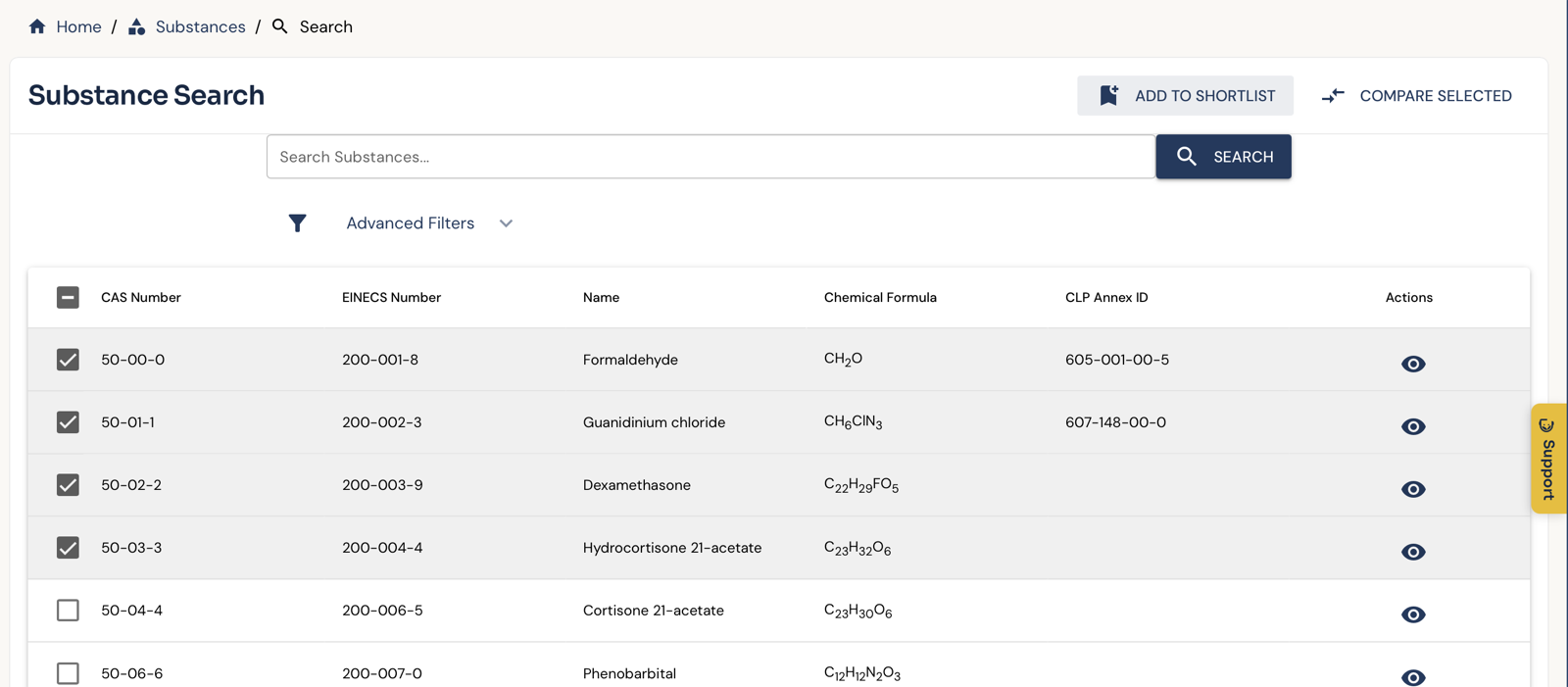
Search by name or CAS number under Substance Search, tick the substances you work with and click Add to shortlist. You can add several substances at once, so a complete product list or client inventory is ready in a few minutes.
2. Stay informed automatically
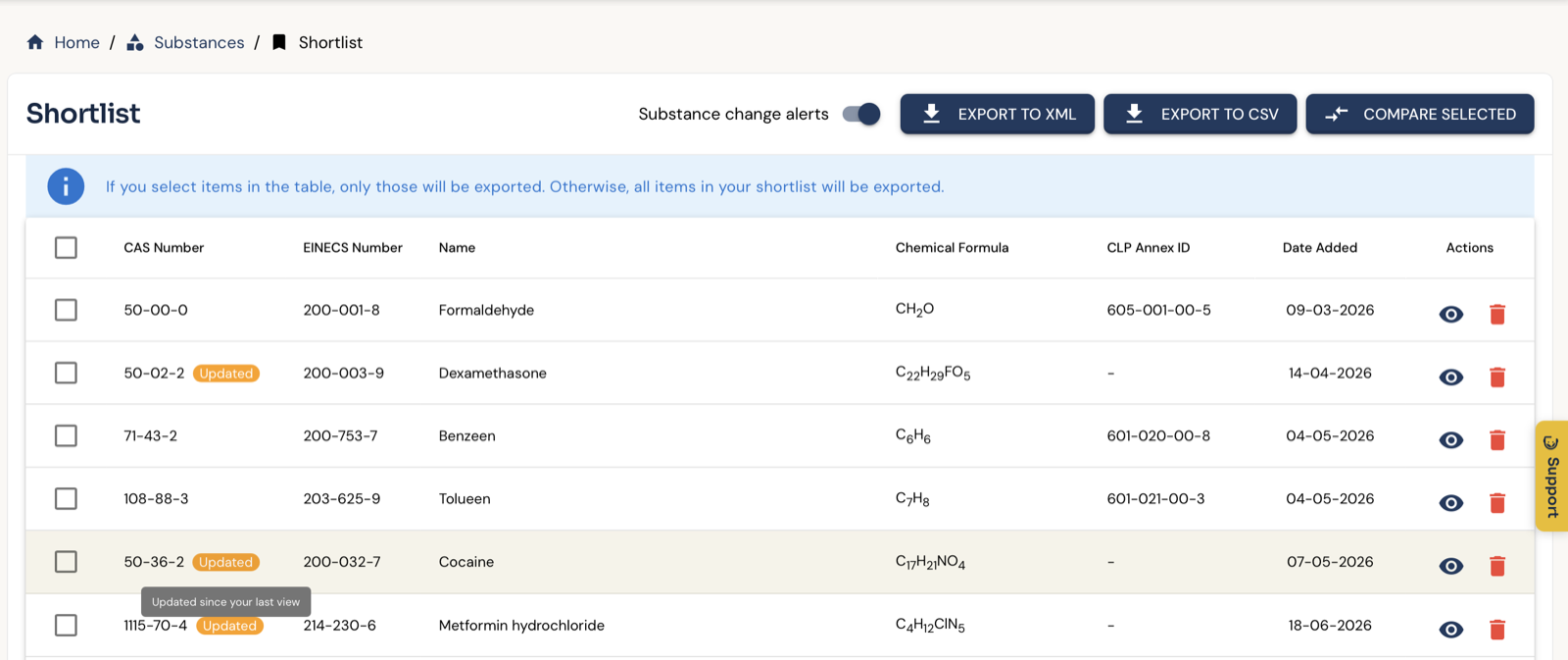
On your shortlist, turn on Substance change alerts. You then receive a daily email as soon as anything changes for one of your substances:
- Limit values: a value has been added, withdrawn or changed.
- Hazard classification: a change in the CMR classification, a substance added to or removed from the Dutch SZW list, or different hazard pictograms.
For each substance you see the old value next to the new one. If nothing has changed, you receive no email.
You see it in the application too: substances that have changed since your last visit are marked Updated on your shortlist.
3. Take your list with you
Export to CSV puts your whole shortlist into a spreadsheet in one go, for your own records or to share with a client or colleague. If you select substances in the table first, only those are exported; otherwise the whole shortlist is.
Other recent improvements
- Smarter search: search and autocomplete are faster, and results take into account which substances are actually measured in practice. Typing “silica” now finds quartz straight away.
- Substance groups: the substance page shows which substance groups a substance belongs to.
- Physico-chemical properties are shown with their qualifier, such as “approximately” or “greater than”.
- Report a problem from the application: use the support window to report what is going wrong. The technical details are sent along automatically.
- Clear messages: if a page or export fails, you see it immediately.
- Faster, safer and more reliable: substance pages load faster, signing in with a passkey works better (including in Safari), and our emails arrive more reliably.
Questions or suggestions? Let us know through support in the portal. Earlier newsletters are in the newsletter archive.
Try DOHSBase Online
Look up 10 substances for free in our database of 325,000+ chemical substances.
Start Free Trial